
9 min read
Everything you need to know about the LilyGo T-Watch Ultra.
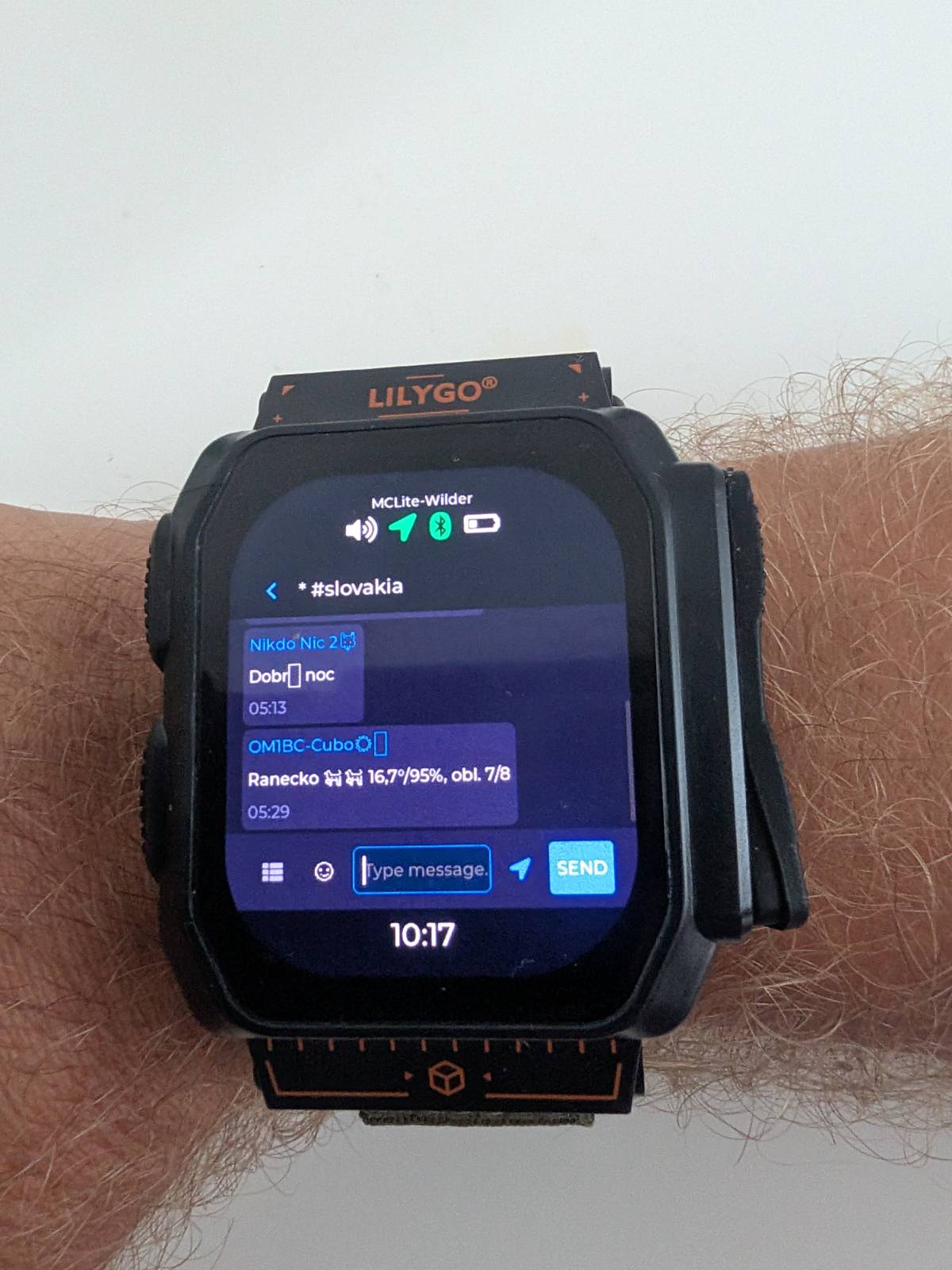
Prepper watches are nothing new. The Garmin Tactix 8 is probably the best-known specimen of the category: titanium body, sapphire glass, MIL-STD-810 military rating, solar charging with up to 48 days of battery life, a night-vision-compatible display mode and a ballistics computer for shooters. It costs $1,300 and will survive a fall off a cliff, a 40-meter dive, and you.
There’s one catch. When the mobile network goes down, the Tactix will tell you precisely where you are and how stressed you are about it. But you can’t send anyone a single message with it. Navigation and health, yes. Communication, no. And communication is exactly what you need most when infrastructure fails.
This is the gap the LilyGo T-Watch Ultra fills. A watch with a LoRa radio inside, running MeshCore, a protocol for decentralized mesh networks that work entirely without operators, SIM cards, internet or monthly fees. It all transmits in the license-free 868 MHz band, so you need no permit, no license and no registration.
Messages hop from node to node encrypted: direct messages end-to-end, channels with a shared key. I’ve received a message on mine from a node 9 hops away, across the Austrian branch of the network. From my office, with an antenna hidden inside a watch.
What kind of range are we talking about? With the antenna built into the watch you will reach a repeater a few hundred meters to a couple of kilometers away in a city, and tens of kilometers from a hilltop or a window with a good view. And that is just the start: the network carries the message on, hop by hop, so in practice you communicate over distances no handheld radio would ever give you.
What it actually is
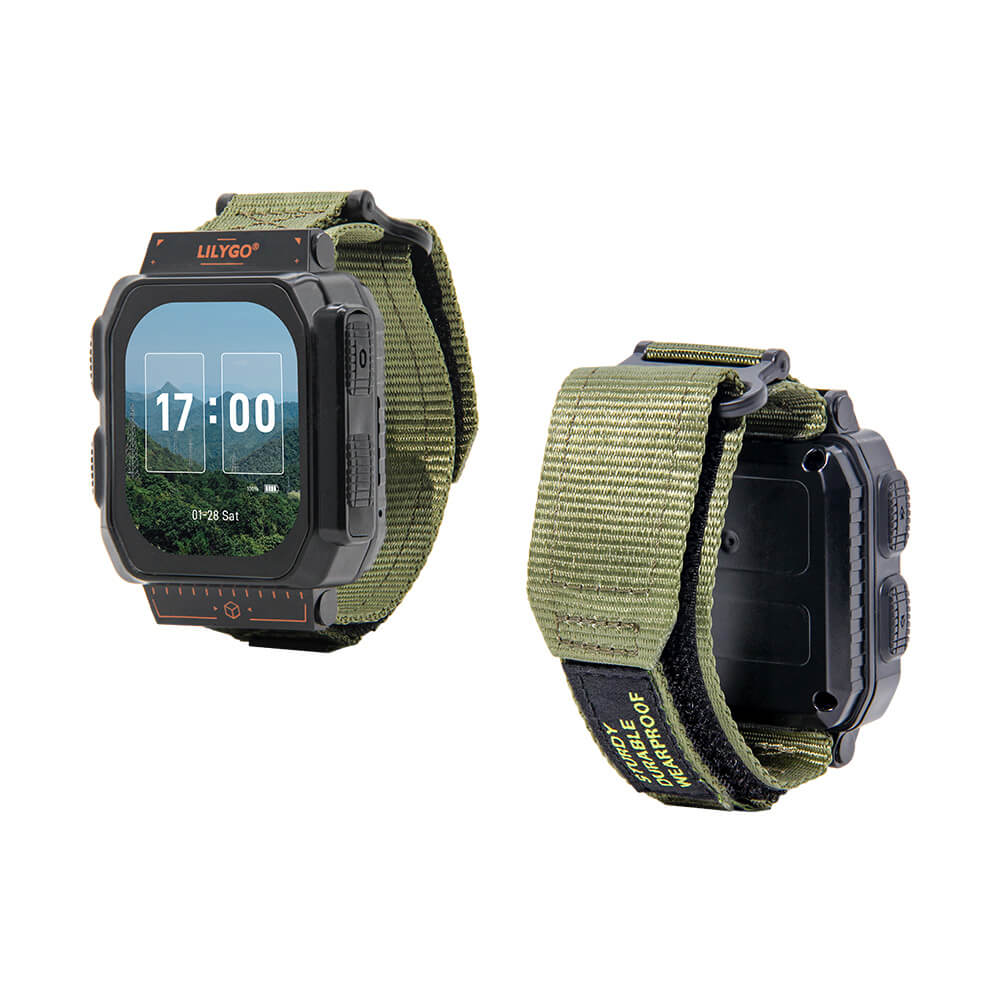
For about a hundred dollars you get:
- ESP32-S3 processor, 16 MB flash, 8 MB PSRAM
- 2.06″ AMOLED touch display (410 × 502)
- Semtech SX1262 LoRa radio (this is what MeshCore runs on)
- GPS/GNSS receiver
- WiFi, Bluetooth, NFC
- microphone, speaker, vibration motor
- microSD slot — buy a 32 GB microSDHC card to go with it (details below)
- USB-C for charging and data
- 1100 mAh battery and IP65 rating
This is not an Apple Watch. It’s an open ESP32 development board shaped like a watch, and you flash it with whatever you want. That’s precisely where its power is.
Where to buy it and for how much
The most important advice in this whole article: buy the frequency variant that matches your region. For Europe that’s 868 MHz; the 915 MHz version is for the Americas and Australia. Get this wrong and the watch is useless in your local mesh.
- The official LilyGo shop sells it for $78, but the 868 MHz variant is often sold out. Standard shipping takes 10–25 business days, so count on 2–3 weeks.
- AliExpress, official LILYGO store: around $95 for the SX1262 868 MHz version, also 2–3 weeks of delivery.
- OpenELAB ships from Germany in 5–10 days if you don’t feel like waiting for China Post.
Order a microSDHC card together with the watch. It stores the configuration, message history, offline maps and watch faces. One important detail: the firmware supports 32 GB maximum (the SDHC standard), so no 64 GB cards — those are SDXC and won’t work. An ordinary SanDisk microSDHC 32 GB from Alza for 10–13 euros is exactly what you want. Format it as FAT32 and you’re done.
Two firmwares: MCLite and Ripple
There are two usable MeshCore firmwares for the T-Watch Ultra, and choosing between them is the main decision you’ll make with this watch.
If Meshtastic is what you know: MeshCore is its leaner competitor, with smarter routing that does not flood the band, and the liveliest development for this hardware currently happens around it. The two networks are incompatible with each other, so by picking a firmware you are also picking an ecosystem.
MCLite
MCLite is an open source firmware built on MeshCore, developed specifically for the T-Watch Ultra and the T-Deck Plus. The entire code is on GitHub, releases come out weekly and the author responds to issues.
What it can do:
- a full MeshCore client: messages, channels, contacts, a map screen
- WiFi as a client — you connect the watch to your home network straight from the menu (Admin → WiFi), and the password can be changed on the watch at any time, no recompiling
- OTA updates directly from GitHub over WiFi
- Bluetooth companion mode — the watch acts as a MeshCore radio for the mobile app
- the whole configuration lives in a single
config.jsonon the SD card: set it up once, copy it to your whole family’s devices
Installation: either the MCLite web flasher in Chrome, or the classic esptool way:
pip install esptool
esptool --port /dev/ttyACM0 write-flash --erase-all 0x0 mclite-watch-v0.4.2.bin
Ripple GUI
Ripple is a firmware from the author of MeshCore himself. You’ll find it in the official web flasher under “LilyGo T-Watch Ultra”, it’s free (pay what you want via Buy Me a Coffee) and it’s the most polished standalone MeshCore UI in existence: watch faces on the lock screen (analog and digital, with custom PNG backgrounds from the SD card), tilt-to-wake, offline maps from the SD card, a stopwatch, a timer, even Snake.
The downsides? It’s closed source. WiFi works only as a service hotspot for firmware updates, not as a connection to your network. And there is no Bluetooth companion mode, so the mobile app can’t connect to it — a Ripple watch is strictly a standalone client.
Which one to pick
Ripple has the prettier UI and better “watch” features. MCLite has open code, usable WiFi and a phone connection. I personally prefer MCLite, because it’s open source. With a device that’s supposed to work when everything else fails, I want to know exactly what runs inside it and I want the option to fix it myself. With closed source firmware you depend on the author’s goodwill.
Switching between them takes a few minutes, so try both (just do a cold boot after each switch, see below).
One piece of advice from experience: after every firmware change, do a cold boot. Unplug USB, hold the side button for 6–10 seconds until the watch shuts down completely, then turn it back on. The touch controller and the display keep state from the previous firmware and a plain reset doesn’t clear them. I spent an hour diagnosing a “broken” display (solid green, touch dead) that was fixed by holding a button for ten seconds.
Setting up bands and channels
Every country’s community runs on specific radio parameters. My home network in Slovakia deliberately moved away from the crowded default EU band and uses 869.618 MHz, 62.5 kHz bandwidth, spreading factor SF8, coding rate CR5. Whatever your country, check your local community’s current settings first (for Slovakia it’s mesh.om3kff.sk) — a watch on the wrong preset hears nothing and nobody hears it.
Channels in MeshCore are “hashtag” channels: the key is derived from the name, so joining means simply typing the name. In Slovakia that’s #slovakia for the whole country, regional ones like #bratislava or #kosice, and #alerts for automated warnings: weather, storm radar, radiation, earthquakes. The full list with keys is at mesh.om3kff.sk/channels.html.
WiFi, Bluetooth and the mobile app
In MCLite the whole thing takes a few taps directly on the watch:
- WiFi: short-press the upper button → Admin → WiFi → pick your network, type the password. It’s stored permanently and can be changed anytime. WiFi then handles OTA updates and time sync.
- Bluetooth: Admin → Bluetooth → enable. The watch starts advertising itself with a six-digit pairing PIN.
- Mobile app: install MeshCore for Android or iOS, pair over Bluetooth and you have a full mesh client with a comfortable keyboard in your phone. The watch is the radio, the phone is the UI. Channels are added in the app via Menu → Add Channel → Join Hashtag Channel.
Note that the WiFi, Bluetooth and USB companion modes in MCLite are mutually exclusive; only one can be active at a time.
The Slovak and Czech communities
The most valuable thing about MeshCore isn’t the hardware, it’s the people putting repeaters on hilltops.
Slovakia:
- mesh.om3kff.sk — documentation, radio settings, channels
- MeshCore-SK Discord — this is where the community lives
- Radioclub Omega OM3KFF in Bratislava — physical meetups every Thursday at 5:30 PM
- Live coverage map — nodes and repeaters on a map; check whether you’re in range (and if you aren’t, build a repeater, the community has guides)
Czech Republic:
- meshcore.cz — the Czech wiki and hub
- Telegram @meshcore_cz — the most active Czech channel
- forum.meshcore.website — the Czech forum
Both communities are booming this year, mostly with people migrating from the overloaded Meshtastic.
Bitcoin over radio: Cashu and other experiments
This is where it gets really interesting. Cashu is a Chaumian ecash protocol on top of Bitcoin Lightning. Cashu tokens are bearer instruments: plain text that carries value by itself. And since it’s text, it fits in a MeshCore message. No internet, no bank, no KYC.
In practice this means you can send money over a LoRa mesh. The Blackbox Node project does exactly this as an off-grid command post with a built-in Cashu wallet, and Bitchat has payments built into the chat as a /pay command. Juraj Bednar is running a similar experiment: his nutband sends Cashu tokens over off-grid mesh radio (over the Reticulum network for now rather than MeshCore, but the principle is the same). And his Bitchat–MeshCore bridge connects the Bluetooth mesh of phones with a city-wide LoRa network.
The T-Watch Ultra also has an NFC chip, so tap-to-pay ecash from your wrist is just a matter of software. An economy running purely over radio: tips, payments for services, splitting costs within a community. A dream come true for a crypto-anarchist, and a plan B for a prepper for the day the payment terminals go dark.
Besides payments, the mesh carries sensor telemetry, GPS positions of your group, and the automated #alerts warnings mentioned above.
Battery life: let’s be honest
An 1100 mAh battery driving an AMOLED display, a LoRa radio and GPS means the watch realistically lasts about a day, depending on what you keep switched on. With GPS off, the display dimmed and a sensible auto-off you can stretch it further; with active navigation, less. Battery life is honestly no match for the Garmin.
This is the weakest point of this watch and you should know it upfront. On the other hand, it charges over ordinary USB-C, so in the field you can top it up from anything, including your phone. And unlike the Garmin, after charging it connects you to an entire network.
So what is it actually good for
- Mountains and wilderness — group communication where there has never been signal
- Festivals and mass events — cell networks collapse under the crowd, mesh doesn’t
- Blackouts — base stations die within hours of a power cut, battery- and solar-powered LoRa nodes keep running
- Censorship and internet shutdowns — a mesh network has no central point to switch off, and there’s no SIM card in it, so there’s nobody to identify you by
- Community — a neighborhood network independent of any operator
- The zombie apocalypse — all of the above at once
And honestly? Even if no apocalypse ever comes, this is the most fun piece of hardware I’ve had on my wrist this year. A watch for a hundred bucks, running open source firmware, communicating encrypted over kilometers with zero infrastructure, and in theory you can even pay with it.
The watch is on my wrist and my node already hangs in the Slovak mesh. If you can hear me, say hi in #slovakia.